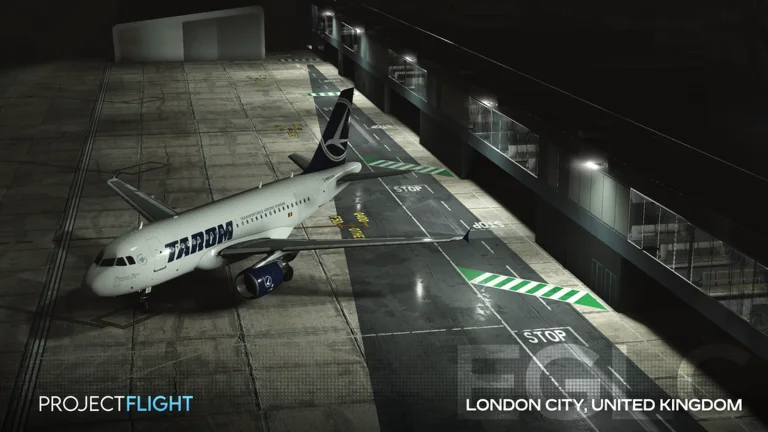

Update 9 migration checks before a long flight
Run these in order. Each check isolates one changed system before a long route makes the problem expensive.
| Changed area | Check now | Why it matters | Evidence status |
|---|---|---|---|
| Flight physics | Taxi, rotate, climb, trim, and hand-fly one circuit. | Old pitch and ground-handling habits may no longer produce the same response. | Confirmed in the developer Update 9 preview; tune against the live aircraft. |
| Autopilot | Test one mode at a time after the aircraft is stable. | A route capture problem is easier to identify before cruise or approach. | Rework announced; exact mode behavior depends on the current aircraft. |
| Spawn and gate UI | Confirm aircraft, airport, gate, region, and nearby ATC before spawning. | The redesigned flow exposes more context but also changes familiar menu positions. | Shown in the official developer preview. |
| HUD and minimap | Check speed, altitude, heading, wind, and the active path before taxi. | A unit or route misunderstanding can look like a physics bug. | Shown in the developer preview; labels can change in hotfixes. |
| Weather | Use a low-wind session first, then test rain or snow separately. | Weather now affects both visibility and the feel of the flight model. | Physics-based weather was announced; exact effects remain aircraft-dependent. |
| Performance and audio | Load a busy airport, lower one graphics setting at a time, and retest. | New scenery, PBR, parallax interiors, and distance audio change device load. | Update 9 is live, but the Roblox page still describes the game as Alpha. |
Treat the first flight as a calibration circuit
Choose an aircraft you already know and a short route with enough runway. Taxi slowly, test braking, rotate without forcing the pitch, level manually, and return for one normal landing before trying a long-haul recreation.
Change one control or graphics option at a time. If physics, wind, FPS, and keybinds all change together, a failed approach does not reveal which system caused it.
Test the new flight model before engaging autopilot
Ground handling, aerodynamics, fly-by-wire behavior, and the sensation of speed were all part of the announced rebuild. Hand-fly to a stable altitude and trim the aircraft before asking the autopilot to hold a target.
Engage one mode, observe the response, and be ready to disconnect. Do not assume every airframe exposes the same system or that a pre-update tutorial uses the current interface.
Use the rebuilt regions as short test routes
The Update 9 preview and community reference identify a larger United Kingdom, Alaska with Fairbanks, Madeira, and reworked Cyprus scenery. The UK reference includes Gatwick, London City, Cardiff, Bembridge, Land’s End, Caernarfon, and Bolt Head, while Alaska identifies Fairbanks and Madeira identifies LPMA.
Verify every airport in the live map before publishing a flight plan. The community page was written before release and can preserve a planned field that shipped differently or moved in a hotfix.
Separate confirmed systems from launch assumptions
The developer directly presented the physics engine, interface, weather, sound, model, and scenery work. The release landing page confirms Update 9 is live. Those are stronger facts than an aircraft count copied from an old preview.
Console support and individual aircraft additions were discussed before launch, but device availability and the final hangar should be checked in the current client. This page does not convert a roadmap item into a shipped guarantee.
Diagnose performance without hiding a control problem
First test at a quieter airport with moderate graphics. If the aircraft still responds incorrectly at a stable frame rate, inspect controls and flight state. If the issue appears only at dense scenery or in weather, lower graphics step by step and repeat the same circuit.
Project Flight remains labeled Alpha on Roblox, so bugs and unfinished behavior are expected. Record the aircraft, airport, server, device, and reproduction steps before treating one bad flight as a universal Update 9 rule.
Methodology and limits
The August 29 release time comes from the live Update 9 launch page and the official Roblox title. System changes were taken from the Project Flight developer’s Update 9 video, while map and airport names were cross-checked against the pre-release community reference. Planned features are labeled separately from behavior that can be observed in the current client.
Sources checked for this update
These sources were reviewed on 2026-08-31. Rankings and recommendations are our synthesis, not official grades from the developer.
- Project Flight on Robloxofficial · 2026-08-31
- Project Flight Update 9 developer blogofficial · 2026-08-31
- Update 9 live release pageofficial · 2026-08-31
- Pre-release maps and airport cross-checkcommunity · 2026-08-31
Project Flight guide FAQ
When did Project Flight Update 9 release?
The Update 9 launch page marks it live on August 29, 2026 at 17:00 BST, and the current Roblox title carries the Update 9 label.
What changed in Project Flight Update 9?
The documented overhaul includes the flight model, autopilot, interface, server and spawn flow, weather, sound, aircraft presentation, and major scenery work.
Why does my aircraft feel different after Update 9?
Ground handling, aerodynamics, and fly-by-wire behavior were rebuilt. Recheck controls and trim on a short hand-flown circuit before using an old tutorial.
Which Project Flight Update 9 route should I try first?
Choose two nearby airports in a rebuilt region, low wind, and a familiar aircraft. Confirm both fields in the live map before spawning.
Does every aircraft use the same autopilot in Update 9?
Do not assume so. Test the modes exposed by the selected aircraft and use its live panel as the authority after the system rework.
Is Project Flight Update 9 finished?
Update 9 is live, but the Roblox experience remains labeled Alpha and warns that unfinished features, bugs, and device performance issues can remain.