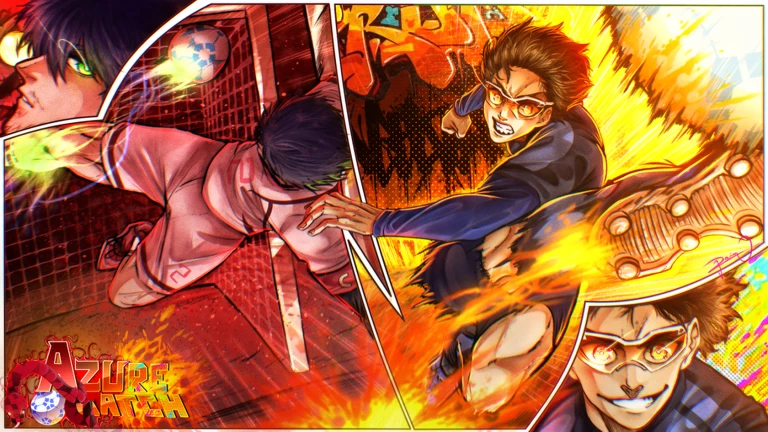

How to redeem Azure Latch codes
Like Azure Latch on Roblox, join the developer community linked by the game, and follow the developer accounts required in the Rewards panel. Then launch the experience, select Menu at the bottom, open Rewards, paste a string in the Code box, and choose Redeem.
If you followed or joined while the lobby was already open, rejoin once. That gives the server a new account-state check instead of making you repeatedly paste a valid code into an outdated session.
Cash and Style Coins pay for different choices
Azure Latch uses Cash and Style Coins across its presentation and customization systems. Codes that grant both currencies give more flexibility than a single emote, while an exclusive celebration is useful only if that animation is the reward you want.
Redeem every current free string, but decide what to buy after checking the current shop. A balance or QOL update can change available animations and pricing even when the stored currency remains valid.
Why numeric sound IDs are not mixed into this list
Long numeric sound IDs are for sound customization; they do not give Cash, Style Coins, or emotes. Mixing them with promo codes makes both lists harder to use.
Only reward codes appear above. Sound IDs will get their own searchable list if we add them later.
Why an Azure Latch code may not work
Check the game like, required community membership, and developer follows before assuming the code expired. Then check exact capitalization, trailing spaces, prior redemption, and whether the lobby predates the latest QOL update.
Azure Latch used to be called Delay Latch. An old article may still point to the right game while carrying a retired batch of codes.
Where new Azure Latch codes appear
The Azure Latch team uses its Discord update channels and Roblox community for releases, maintenance compensation, and milestone rewards. Check after named player additions, ranked changes, reworks, and emergency shutdowns.
Recently expired Azure Latch codes
These recently stopped working. We keep the list short so it is easy to spot codes copied from an older video or post.
QUIETNELISAGIREVAMPHIORIUPDATEULTRASADISTGambleShotGIMMEDINEROSources checked for this update
We checked the links below on 2026-08-18. A “sources checked” label means the code was supported by current public information but was not tested on our own Roblox account.
- Azure Latch on Robloxofficial · 2026-08-18
- Twinfinite August Azure Latch listcross-check · 2026-08-18
- Azure Latch Roblox API recordofficial · 2026-08-18
Azure Latch codes FAQ
Do Azure Latch codes require a game like and community membership?
Yes. The redemption flow can also require following specified developer accounts. Complete those checks and rejoin before redeeming.
Are Azure Latch and Delay Latch the same game?
Yes. Delay Latch was the old name; the Roblox experience is now called Azure Latch.
Where is the Azure Latch code box?
Open Menu at the bottom of the lobby, choose Rewards, paste the string in the Code field, and select Redeem.
Are numeric Azure Latch sound IDs promo codes?
No. Sound IDs change audio customization, while promo codes give currencies or emotes. We keep the two lists separate.